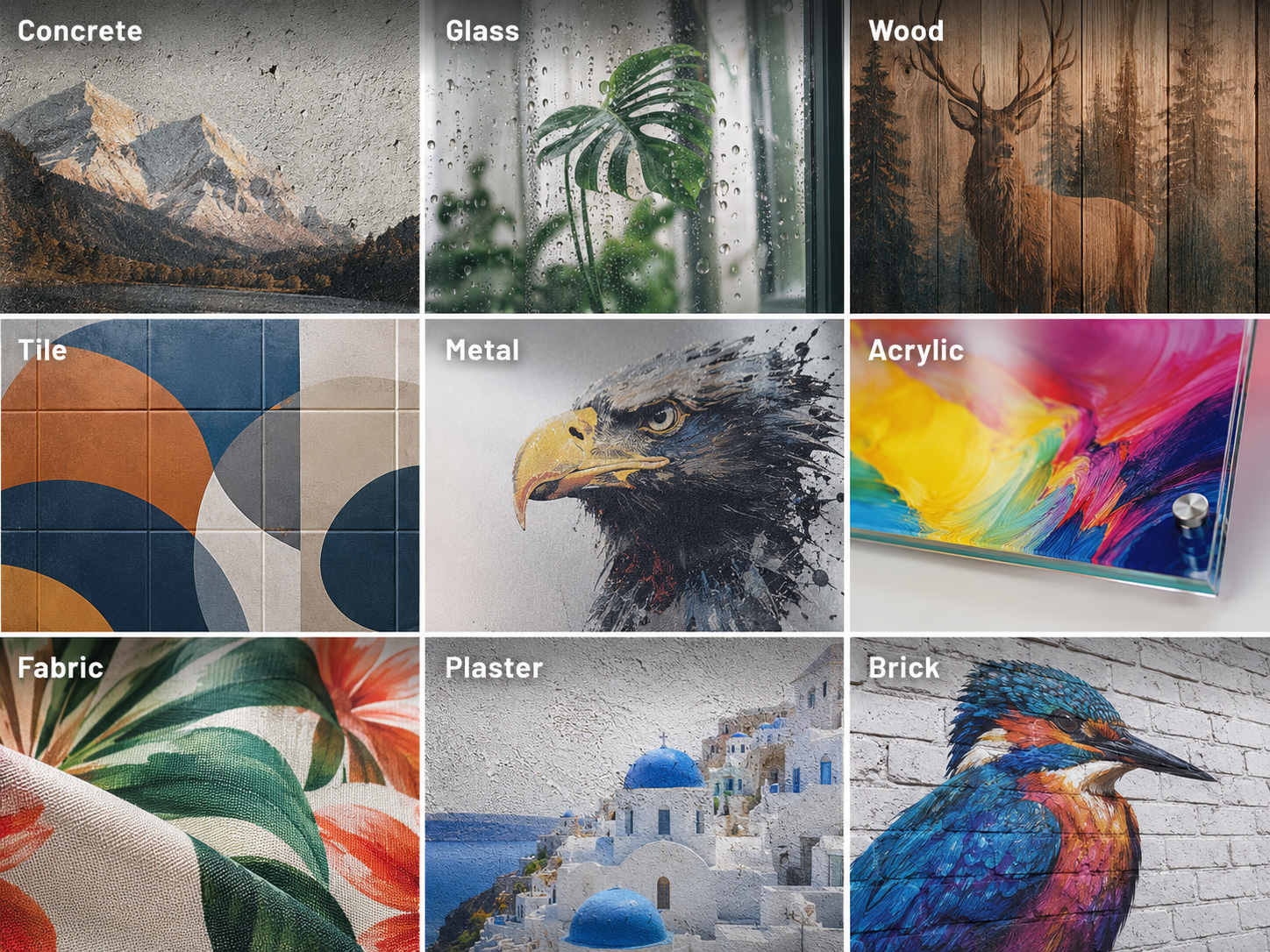
Yes, a wall printer can print on many textured walls, including lightly textured drywall, orange peel finishes, plaster, brick, and some rough concrete surfaces. However, the final print quality depends on the texture depth, surface stability, printhead distance control, and the level of detail in your design.
A lightly textured wall may produce a clear, colorful mural with minimal preparation. Deep grooves, rough stucco, or uneven brick joints can create missing details, inconsistent coverage, and potential printhead clearance problems.
For businesses using a UV wall printer, understanding these limitations is important before accepting a printing project or purchasing equipment.
This guide explains which textured walls are suitable for printing, how surface roughness affects image quality, and how to prepare and test a wall before starting a full-size print. For the full process from file to finished mural, see how a wall printer works.
1. What Types of Textured Walls Can a Wall Printer Print On?
Not all textured walls behave the same way during printing. Some surfaces have shallow, uniform patterns, while others contain deep grooves, sharp edges, and irregular height changes.
The following table provides a practical overview of common wall textures and their printing suitability.
Wall Texture | Printability | What to Expect |
|---|---|---|
Smooth or lightly textured drywall | Excellent | Sharp details and consistent colors |
Orange peel texture | Generally good | Slight softening of very fine details |
Knockdown texture | Usually possible with testing | Some uneven coverage in recessed areas |
Textured plaster | Depends on texture depth | Large graphics work better than fine text |
Brick walls | Possible with suitable equipment | Mortar joints may interrupt the image |
Rough concrete | Requires surface testing | Porosity and surface irregularities affect coverage |
Heavy stucco | Preparation often required | Deep texture may cause gaps or distorted details |
Deep grooves or damaged walls | Not recommended without repairs | Poor image consistency and clearance risks |
Lightly Textured Walls: Usually the Best Choice
Light orange peel, subtle knockdown, and lightly textured painted drywall are among the more suitable textured surfaces for wall printing.
Their shallow, relatively consistent texture allows compatible printing systems to maintain a workable distance between the printhead and the wall.
Large graphics, decorative patterns, and murals generally reproduce well, although very small text and thin lines may appear less defined than they would on smooth drywall.
For most commercial wall mural projects, these surfaces offer a good balance between visual appearance and preparation requirements.
Brick, Plaster, and Rough Concrete: Printable with Conditions
Brick, plaster, and concrete can also be suitable for direct wall printing, but their surface conditions require closer inspection, as explained in our guide on what surfaces a wall printer can print on.
Brick walls often contain recessed mortar joints that interrupt the continuity of printed graphics. Rough plaster may create uneven coverage, while porous concrete can affect ink adhesion and visual consistency.
These materials are better suited to large murals, bold illustrations, decorative lettering, and artwork that does not depend on extremely fine details.
A compatible wall printing machine may produce attractive results on these surfaces, provided the machine can safely follow the wall profile and the ink bonds properly to the material.
Heavy Stucco and Deep Textures: Preparation May Be Necessary
Heavily textured stucco, deep grooves, unstable coatings, and walls with sharp protrusions present greater printing challenges.
Even if the machine can compensate for some surface irregularities, deep recessed areas may receive inconsistent ink coverage, while sudden raised sections can create clearance risks.
If the surface is excessively rough, sanding, patching, or skim coating may be needed before printing.
The key distinction is that a surface can be technically printable without being suitable for a high-quality finished mural.

2. How Does Wall Texture Affect Print Quality?
Wall texture affects more than whether ink can reach the surface. It can also change how sharp, colorful, and consistent the finished image appears.
The three most important factors are image detail, ink coverage, and surface condition.
Image Sharpness and Fine Details
Unlike smooth walls, textured surfaces contain raised areas and recessed sections at different distances from the printhead.
These variations can affect droplet placement and make fine details appear less consistent.
For example:
Large mural graphics and bold lettering usually tolerate mild texture better.
Small text and thin lines may appear uneven over raised or recessed areas.
Detailed photographs and faces may lose some sharpness on rough surfaces.
Geometric patterns may show visible interruptions across deep grooves.
If a project requires precise logos, fine typography, or detailed artwork, a smoother wall will generally deliver better results.
Ink Coverage and Color Consistency
On textured walls, raised sections and recessed areas may receive different amounts of ink.
This can create visible changes in color density, especially with solid backgrounds, gradients, or large areas of uniform color, a pattern similar to the banding issues covered in our print quality troubleshooting guide.
The wall's original color also matters. On dark or strongly colored surfaces, white UV ink may help create a more consistent base when the machine supports white-ink printing.
However, additional ink cannot physically flatten the surface or guarantee complete coverage inside deep grooves.
Before printing a large mural, test the actual artwork or a representative sample on the intended surface.
Surface Adhesion and Durability
Texture alone does not determine whether UV ink will adhere properly.
A clean, dry, stable surface is essential. Dust, loose paint, moisture, powdery plaster, and deteriorating coatings can all reduce print durability.
Some porous or heavily textured materials may need suitable surface preparation or a compatible primer.
For a commercial wall printing business, these checks help reduce failed prints, rework, and customer complaints.

3. How Do Wall Printers Handle Uneven Surfaces?
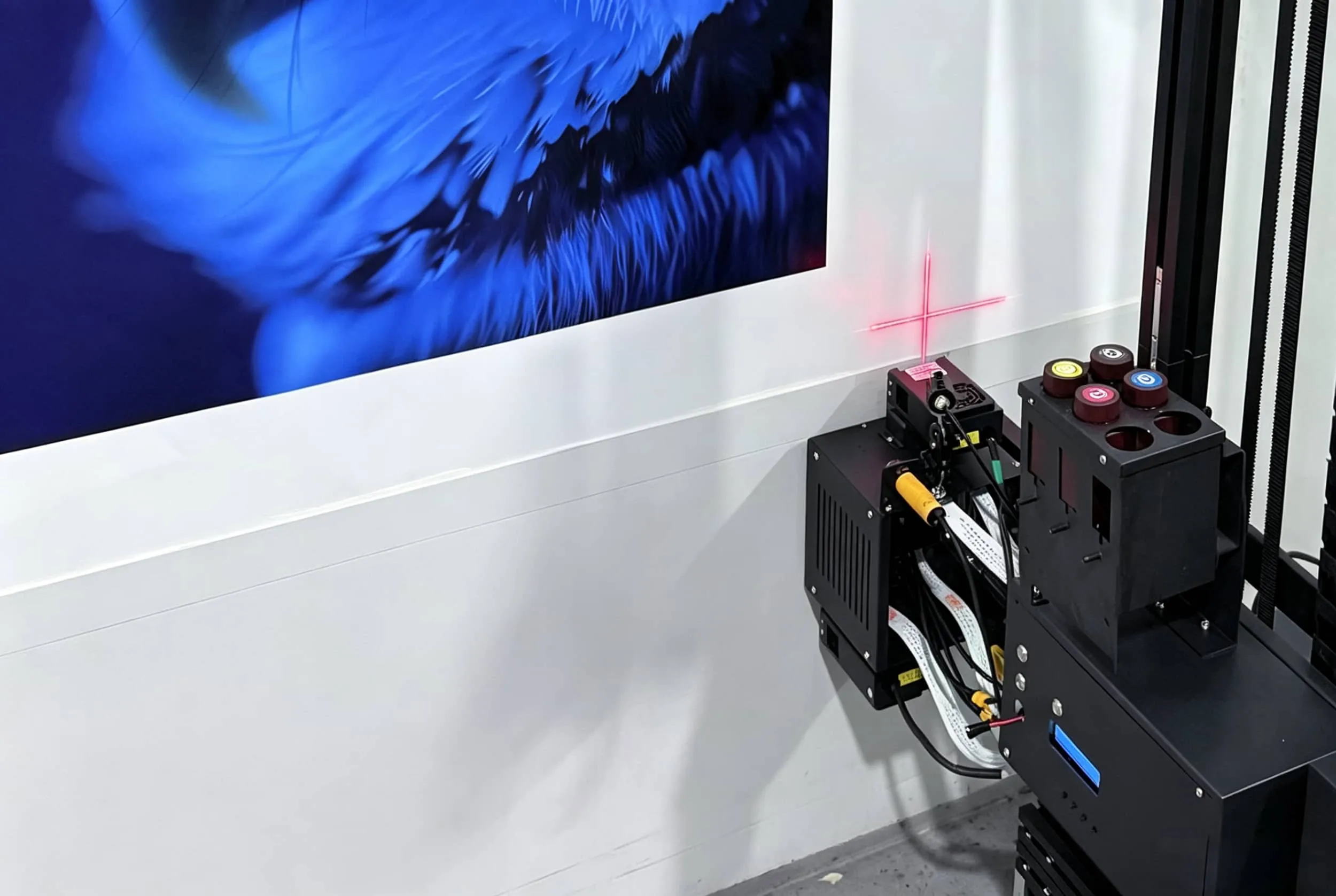
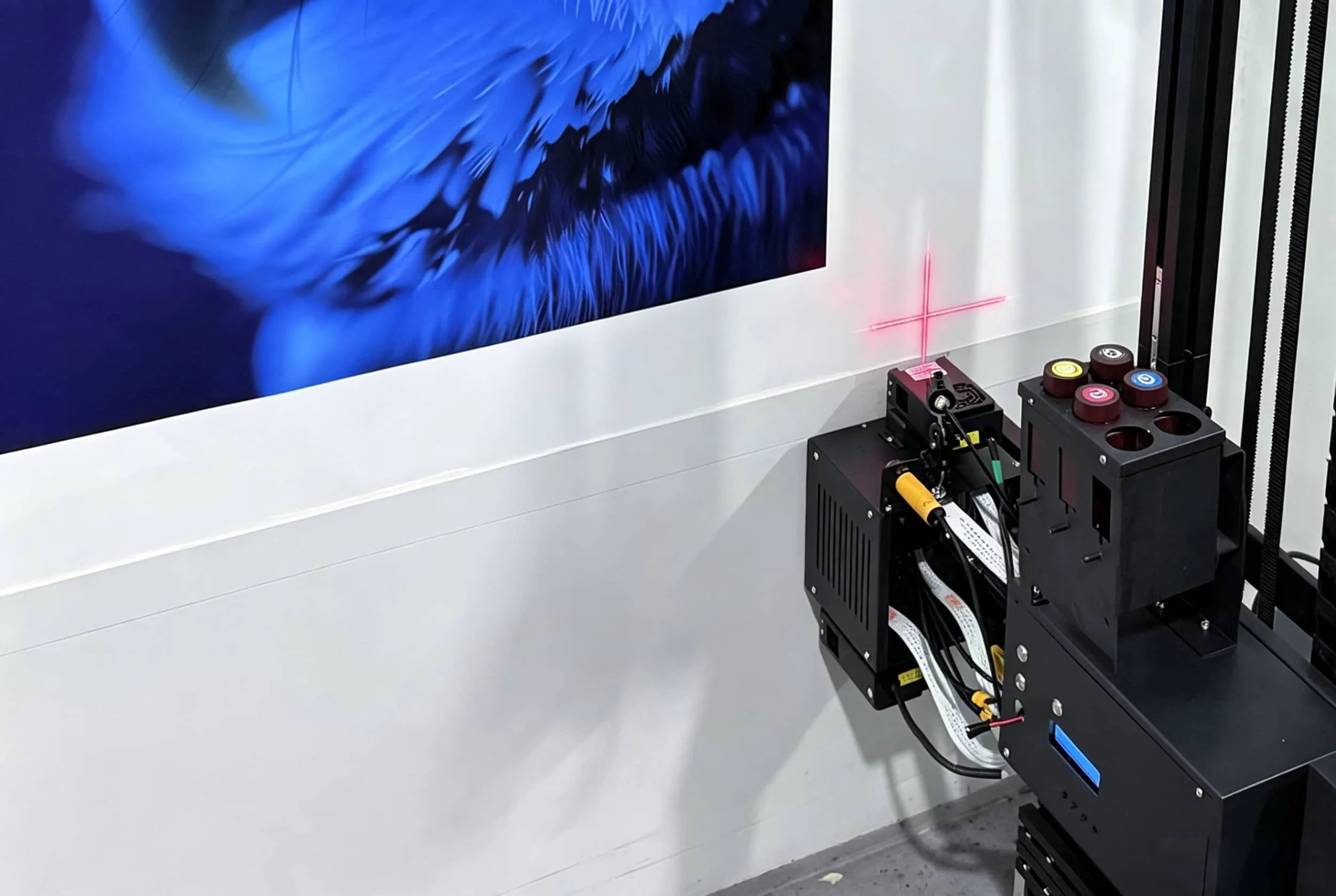
One reason modern wall printers can work on textured surfaces is their ability to monitor and adjust the distance between the printhead and the wall.
Depending on the machine configuration, distance sensors and motion-control systems help maintain an appropriate printing gap as the equipment moves across the surface.
Automatic Distance Adjustment
Some wall printers use laser or ultrasonic sensors to detect changes in wall distance.
When the wall moves closer to or farther from the printhead, the machine adjusts its printhead position within its supported operating range.
This helps maintain a more consistent printing distance and reduces the risk of poor droplet placement or contact with uneven surfaces.
However, sensor compensation has limits.
A printer capable of adjusting to a gradually sloping wall is not necessarily capable of printing safely across deep, sudden surface protrusions.
Wall unevenness compensation and maximum printable texture depth are different specifications.
For example, a machine may have a relatively large printhead adjustment range but still require a much smaller local texture depth for reliable print quality.
Always confirm both specifications with the manufacturer rather than relying on a single distance-adjustment figure.
Why Rail Stability Matters
Distance adjustment is only one part of successful textured-wall printing.
The printer must also move smoothly and remain correctly aligned with the wall.
An unstable base, uneven floor, or misaligned rail system can introduce additional positioning errors.
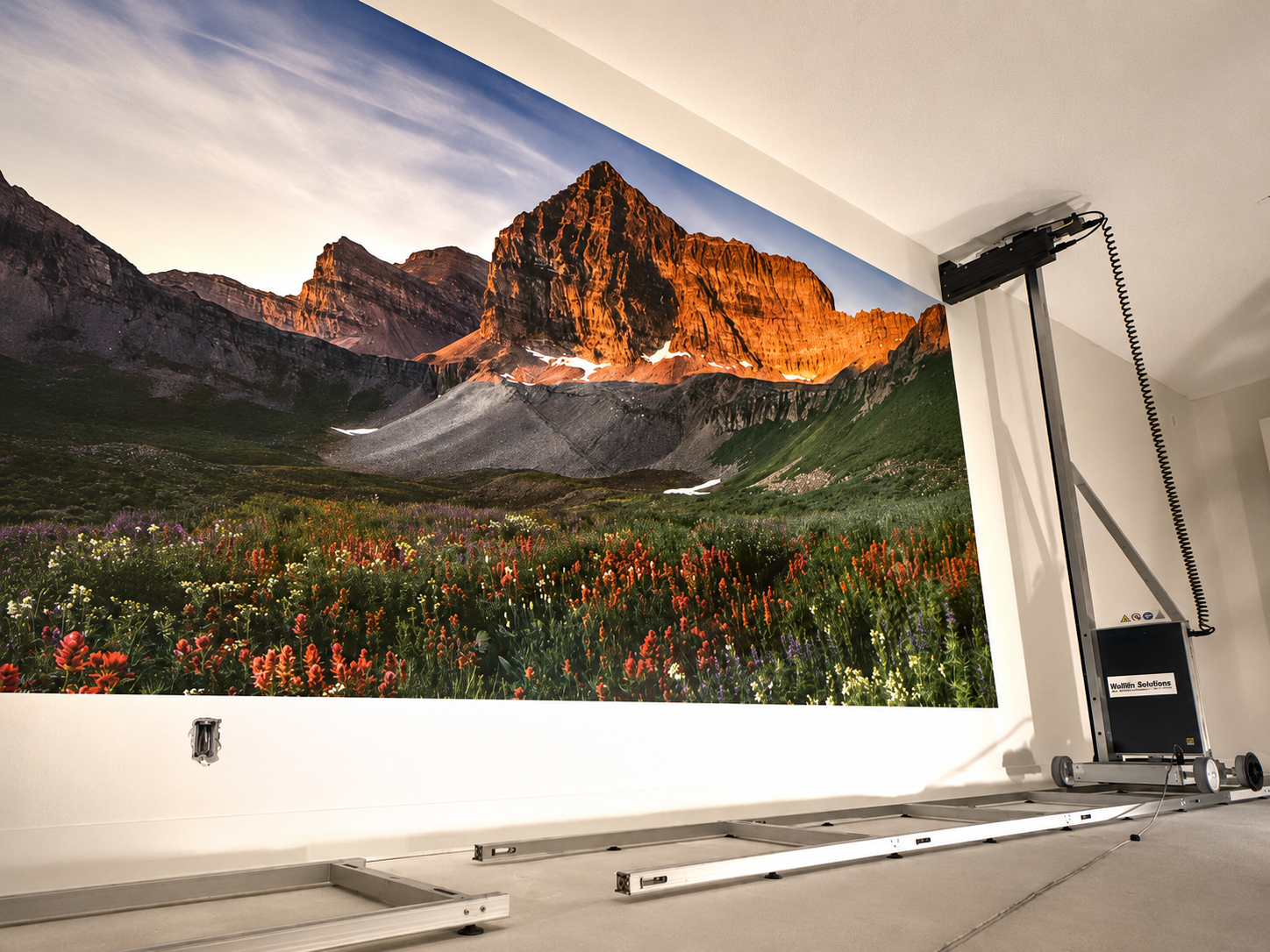
For rail-based wall printers, proper leveling and stable installation are particularly important when printing across a large wall or a surface with varying depth.
Before purchasing a vertical wall printer, ask the supplier for real printing samples on textured plaster, brick, and other surfaces similar to your intended applications.
Actual print results are more useful than relying solely on maximum-resolution or sensor specifications.
4. How to Prepare a Textured Wall for Printing
Good surface preparation often makes a greater difference than adjusting printing settings.
The goal is not necessarily to make every wall perfectly smooth. Instead, the surface should be clean, stable, dry, and within the printer's supported distance and texture limits.
Inspect and Clean the Wall
Before printing, examine the entire area for defects that could affect ink adhesion or printhead movement.
Follow these preparation steps:
Remove surface contamination. Clean away dust, grease, loose particles, and other residues that could interfere with ink adhesion.
Check for moisture. Avoid printing over damp walls, water damage, or unresolved moisture problems.
Inspect the paint and plaster. Look for peeling paint, chalky coatings, cracks, or unstable textured finishes.
Check protrusions and grooves. Identify sharp raised sections, unusually deep joints, and obstacles that could interfere with the printhead.
Allow the wall to dry. Complete cleaning, repair, and coating-curing requirements before printing.
For painted walls, also confirm that the existing coating is compatible with the UV ink being used.
Repair Excessively Rough Areas
Minor, stable texture usually does not require complete removal.
However, walls with deep grooves, damaged plaster, loose coatings, or large irregularities may need additional preparation.
Depending on the surface, this may involve:
Filling cracks and deep holes.
Removing loose or unstable coating material.
Sanding or leveling excessive high points where safe and appropriate.
Applying compatible repair compound or skim coating.
Priming repaired or porous areas when required.
Allow all repair materials, paint, and primer to cure according to the product manufacturer's instructions.
For older or unidentified coatings, do not disturb potentially hazardous materials through sanding or scraping until they have been properly assessed.
Avoid unnecessary surface preparation if the existing texture is stable and a test print confirms acceptable quality.
The objective is to achieve a reliable finished image without adding unnecessary labor or cost.
5. How to Test a Textured Wall Before Printing
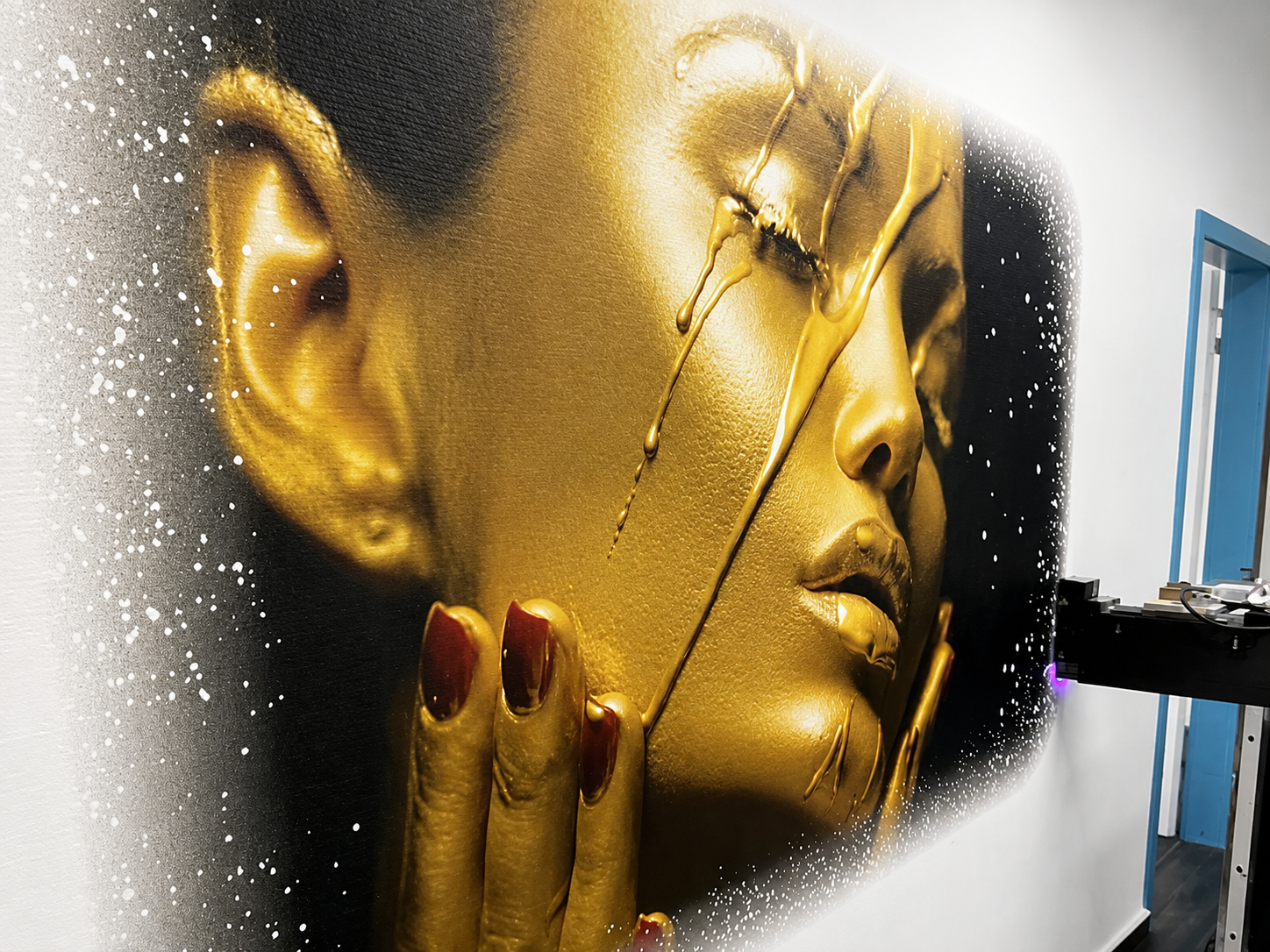
A small test print is the most reliable way to judge whether a textured wall is suitable for your intended artwork.
Even when two walls have the same texture name, their depth, coating, porosity, and surface stability may differ.
Before committing to a full mural, test a representative area that includes the wall's typical raised sections and grooves.
What Should You Include in a Test Print?
A useful sample should include the main visual elements of the planned design.
Test Element | What to Check |
|---|---|
Solid color blocks | Uneven coverage or visible gaps |
Fine lines and small text | Sharpness and readability |
Gradients or photographs | Smooth color transitions |
White ink on dark surfaces | Opacity and coverage |
Printing across grooves | Missing details or distortion |
Finished sample | Adhesion and visible surface defects |
Use the actual printing mode, ink configuration, and surface conditions planned for the final project.
After the test print has fully cured, inspect it under the lighting conditions in which the mural will normally be viewed.
How to Decide Whether the Wall Is Suitable
Use the test result to make one of three decisions.
Print directly: The texture is consistent, image details remain acceptable, and there are no visible adhesion or clearance problems.
Prepare the wall first: The design shows uneven coverage, blurred fine details, or interruptions that can reasonably be improved through surface repair or leveling.
Choose another surface or redesign: Deep grooves, unstable materials, excessive protrusions, or poor adhesion make the wall unsuitable for the intended result.
Remember that a textured wall does not always need to reproduce the same level of detail as a perfectly smooth surface.
For large decorative murals viewed from a distance, minor texture-related variations may be acceptable or even complement the design.
But for detailed logos, product images, or small commercial signage, a smoother surface is usually the better choice.
If you are evaluating a UV wall printing machine, request actual textured-wall printing videos and samples from your supplier. These can help you judge whether the equipment is suitable for the wall surfaces your customers are most likely to request.
Conclusion
A wall printer can print on many textured walls, but the texture depth, surface condition, and required image quality determine the final result.
Light orange peel, subtle knockdown, and stable textured plaster are generally more suitable than heavily grooved stucco or damaged walls. Brick and rough concrete can also work when the machine supports the surface profile and the print design allows for some variation.
Before printing, check the wall's condition, confirm the printer's distance-adjustment capabilities, and perform a small test print. For wall printing businesses, choosing the right equipment and preparing the surface properly can help reduce printing failures and improve project results.
Not sure whether a wall printer can handle the surfaces you plan to print on? Contact WallPrintGear to discuss your wall materials, printing requirements, and suitable machine options. Our team can help you evaluate your application, review relevant printing samples, and choose a wall printer that fits your business needs.