Yes. A wall printer can print full-color images on dark gray, navy, black and other dark-colored walls—but for the colors to remain bright and accurate, the machine normally needs white ink.
Standard CMYK ink is not fully opaque. On a white or light-colored wall, the wall itself acts as the bright background behind the printed colors. On a dark wall, that background disappears, so reds, blues, yellows and skin tones can look muddy, dull or much darker than the original artwork.
A wall printer with CMYK + White solves this by printing an opaque white layer beneath the color image.
The basic process is:
Dark wall → White underbase → CMYK color → UV curing
That white layer is what allows the final image to look much closer to the original file instead of allowing the wall color to show through.
For buyers, this means one thing:
If dark walls, colored walls, glass or other non-white surfaces will be part of your business, white ink should be treated as an important machine configuration—not a minor accessory.
Wall Type | Typical Ink Mode | What to Expect |
|---|---|---|
White / light wall | CMYK | Wall provides the light background |
Gray / colored wall | White + CMYK | White underbase improves color accuracy |
Black / very dark wall | White + CMYK | White layer is essential for bright colors |
Transparent glass / acrylic | CMYK + White backing | White can improve opacity and viewing |
Spot-white design | White only or White + CMYK | Useful for highlights, text and special effects |
1. Why Does a Wall Printer Need White Ink on Dark Walls?
The easiest way to understand white ink is to think about how ordinary color printing works.
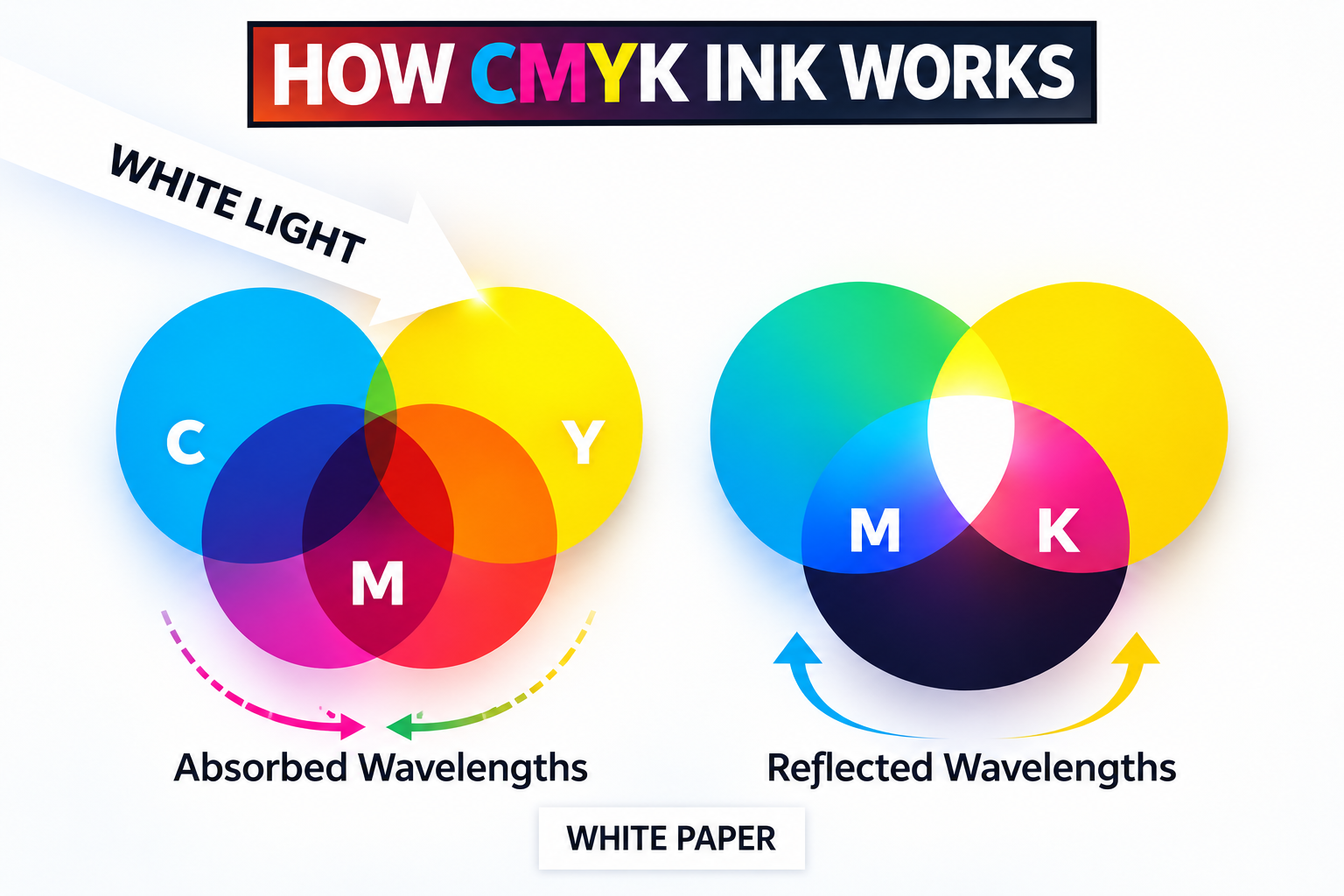
CMYK inks create color by controlling how light interacts with cyan, magenta, yellow and black pigments. They work best when there is a light-colored surface underneath them.
On a white wall, light passes through or reflects around the colored ink and bounces back from the bright wall surface.
On a black wall, much of that light is absorbed.
The result is lower contrast and weaker-looking colors.
A wall printing machine equipped with white ink creates a new light-colored foundation before printing the artwork.
This layer is usually called a white underbase or spot white layer.
The process is straightforward:
Step 1: The printer identifies which parts of the image require a white base.
Step 2: White ink is deposited onto the dark wall.
Step 3: CMYK colors are printed over the white layer.
Step 4: The ink is cured, creating the final mural.
The original material correctly identifies this white-underbase process as the key difference between successful dark-wall printing and standard CMYK printed directly onto a dark surface.
Can You Print on a Dark Wall Without White Ink?
Technically, yes.
But the result will be very different.
If you print CMYK directly onto a charcoal or black wall, the wall color becomes part of the image.
Some dark or artistic designs may intentionally use that effect. For example, you might print only lighter highlights or allow the existing wall color to function as part of the artwork.
But if a customer gives you a normal photograph or colorful mural and expects it to look like the file on the screen, CMYK-only printing on a dark wall is usually not the right approach.
For normal commercial work:
Light wall → CMYK may be enough.
Dark wall → White + CMYK is usually the better choice.
Does the Entire Wall Need White Ink?
No.
White ink does not necessarily have to cover the entire printed area.
The RIP or printing software can generate a white layer only where needed.
This is commonly called spot white.
For example, if the artwork contains a bright logo on a black wall, the printer may only need to place white ink beneath the logo and colored artwork rather than covering every unprinted section.
That can reduce white-ink use and printing time.
This is one reason software and RIP capability matter when comparing a vertical wall printer for dark-wall projects.
2. What Changes When You Print With White Ink?
Dark-wall printing is not simply the same job with one extra ink cartridge.
White ink changes print time, ink consumption and maintenance.
Printing Usually Takes Longer
If the printer needs to create a white underbase and then place CMYK over it, the machine is performing more work than it would on a normal light wall.
A full white background can therefore reduce effective job speed.
How much slower depends on:
White coverage.
Number of white passes.
Printhead configuration.
Artwork.
Quality mode.
Machine software.
Whether white and color can be managed efficiently in the same workflow.
For this reason, do not compare two machines only using their advertised CMYK speed.
If dark walls are an important application, ask:
“What is the actual printing speed with White + CMYK enabled?”
That number is more relevant to your business.
White Ink Increases Ink Consumption
White ink adds another layer, so a dark-wall job naturally uses more ink than the same artwork printed directly onto a white wall.
The difference depends heavily on artwork coverage and required opacity.
A small logo requiring spot white may use relatively little additional ink.
A photographic mural covering an entire black wall may require much more.
That is why a wall mural printer supplier should be able to show you ink consumption from an actual dark-wall test rather than simply giving one universal cost per square meter.
When quoting a customer, consider:
CMYK consumption + white ink + additional printing time + wall preparation
rather than pricing a dark-wall project exactly the same as a simple white-wall job.
White Ink Requires More Maintenance
This is probably the most important operational difference.
White ink contains dense white pigment, commonly based on titanium dioxide. That pigment naturally settles over time.
If the ink remains stationary for too long, sedimentation can contribute to:
Weak white coverage.
Nozzle dropouts.
Banding.
Clogged dampers or tubes.
Printhead problems.
That is why a professional CMYK + White ink system should include a method for keeping white pigment moving.
Depending on the machine, this may involve circulation, agitation or a combination of the two.
The original article correctly identifies white-ink settling and circulation as a major reliability issue for dark-wall printing.
When comparing machines, ask the supplier:
Does the system only stir the white-ink tank, or does it circulate ink through more of the white-ink path?
That is much more useful than simply asking whether the machine “supports white.”
Wall Condition Still Matters
White ink cannot compensate for a bad wall.
Before printing, the surface still needs to be:
Clean.
Dry.
Stable.
Free from loose paint.
Free from excessive dust.
Reasonably suitable for the printer's working distance.
On rough brick, concrete or other porous surfaces, additional preparation may improve consistency.
On glass, tile or metal, adhesion requirements may differ again.
So before accepting an unfamiliar dark-wall project, test the actual substrate.
Do not assume that because the white ink looks opaque, adhesion is automatically good.
Dark-Wall Artwork Should Be Tested Before a Large Job
A small sample is particularly useful on very dark walls.
Test:
White opacity.
Color brightness.
Skin tones.
Fine text.
Gradients.
Black areas inside the artwork.
Viewing under the actual room lighting.
A black wall behind a mural creates much more contrast than a white wall, so small differences in white coverage can become easier to see.
For high-value commercial work, a sample print is cheaper than discovering halfway through a full mural that the customer expected brighter colors.

3. What Should You Check Before Buying a Wall Printer for Dark Walls?
If you plan to sell murals on black, gray, navy or other dark walls, do not accept the phrase:
“Yes, our machine supports white ink.”
Ask how the complete system works.
1. Is White Ink Included?
Confirm whether the quoted configuration is:
CMYK
or
CMYK + White
Some machines may offer white as a separate option.
Make sure your quotation clearly states what you are receiving.
2. How Is the White Ink Kept in Circulation?
Ask the supplier to show the actual white-ink system.
You want to understand:
Where the white ink is stored.
How it is mixed or circulated.
Whether circulation is automatic.
What happens during idle periods.
What maintenance is required after several days without printing.
The original draft already identifies white-ink circulation as one of the most important questions buyers should ask before choosing a dark-wall printer.
3. Can the Software Generate a White Underbase Automatically?
Ask whether the RIP can create white layers from your artwork.
Useful functions include:
Spot white.
Full white underbase.
White-only printing.
White + CMYK.
Adjustable white density.
If every dark-wall file needs complicated manual editing in Photoshop before printing, your workflow becomes slower.
4. What Is the Real Speed With White Ink?
Do not accept the machine's fastest CMYK-only figure.
Ask for a real test:
Same mural, same size, same quality setting—one on a white wall and one using White + CMYK on a black wall.
Compare the total printing time.
5. How Much White Ink Does a Typical Dark-Wall Job Use?
The answer will vary by design, but the supplier should still be able to demonstrate representative jobs.
Ask for:
A small logo.
A medium-coverage mural.
A full photographic mural.
That gives you better data for customer quoting.
6. Can They Show a Real Dark-Wall Sample?
This may be the most useful test.
Do not rely on a digital mockup.
Ask the supplier to print onto:
Black.
Dark gray.
Navy.
Or a dark material similar to your target application.
Then examine:
Color saturation.
White opacity.
Edges.
Gradients.
Banding.
Fine text.
If possible, send your own artwork.
A supplier selling a professional wall printer with white ink should be able to demonstrate the application it is supposed to support.
7. What Happens if the Machine Is Not Used for Several Days?
This is especially important for startups.
A high-volume print shop may use white ink every day.
A new wall-printing business may go several days between projects.
Ask exactly what you need to do if the printer sits unused for:
Two days.
One week.
Several weeks.
White-ink management becomes much more important when the machine operates intermittently.
Quick Buying Checklist
Question | What You Want |
|---|---|
White ink included? | CMYK + White clearly stated |
White circulation? | Automatic, reliable pigment management |
Dark-wall RIP support? | Spot white / underbase control |
Real White + CMYK speed? | Supplier demonstrates actual job speed |
Ink consumption data? | Based on representative dark-wall artwork |
Sample available? | Real print on black or dark surface |
Idle maintenance? | Clear procedure for days/weeks without printing |
Spare parts/support? | White-channel troubleshooting available |
Do not buy a machine for dark-wall work based only on DPI, speed or printhead model.
The white-ink system is part of the machine's real production capability.
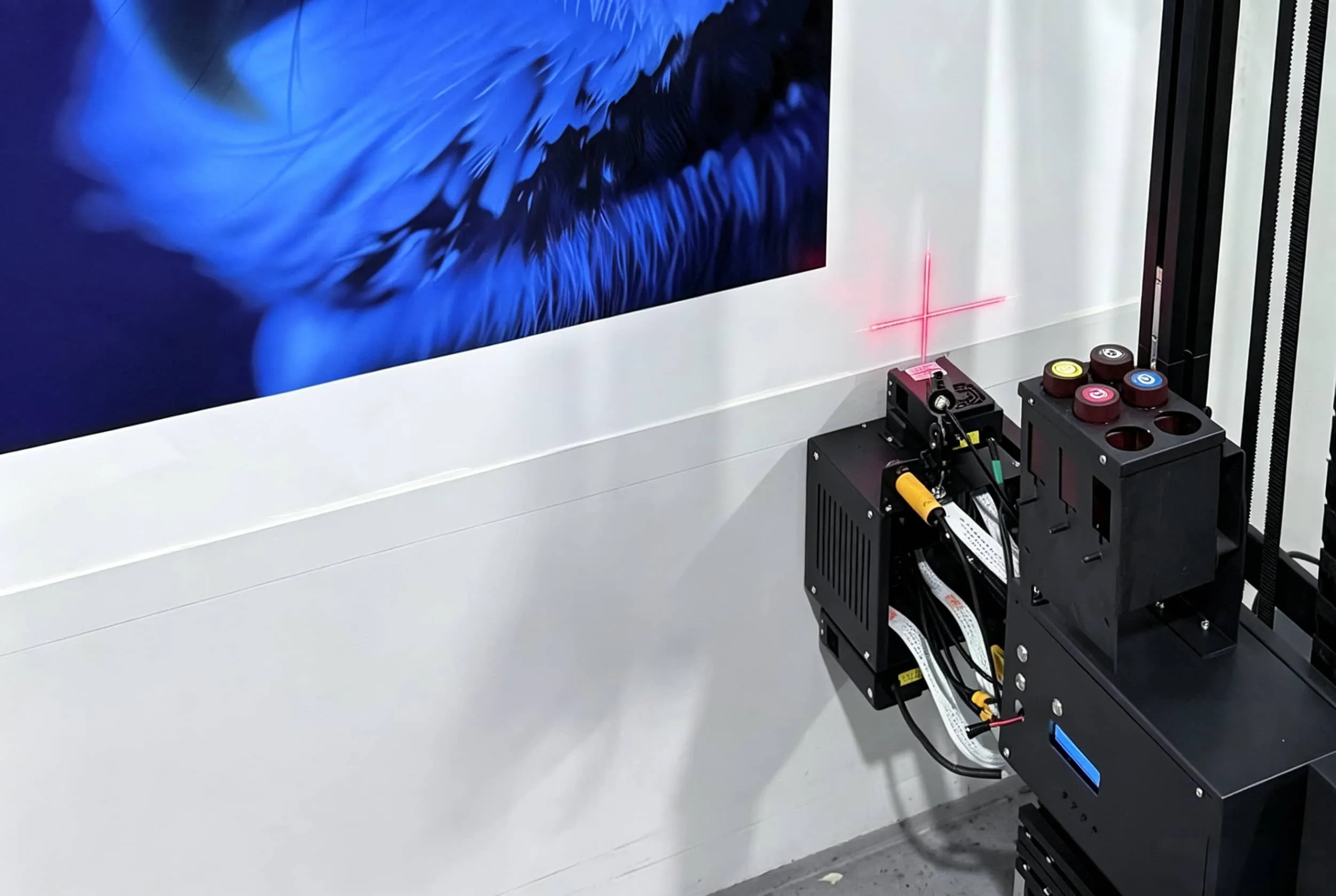
Conclusion
Can a wall printer print on dark walls?
Yes—very effectively, provided the machine has a properly designed white-ink system.
Standard CMYK relies on a light background. On black, charcoal, navy and other dark walls, colors can become dull because the wall absorbs light and shows through the ink.
White ink solves that problem by creating an opaque underbase beneath the CMYK image.
The practical workflow is:
Dark wall → White underbase → CMYK artwork → cured mural
But white ink also changes the economics and maintenance of the job.
Expect more ink consumption, potentially longer print times and greater attention to white-ink circulation.
That is why a direct wall printing business planning to target restaurants, hotels, retail stores, offices and dark decorative interiors should evaluate the complete white-ink system—not simply whether “White” appears on the specification sheet.
Before choosing a machine, ask the supplier to print your own artwork on a real black or dark-gray surface.
Check the opacity, color, printing time and white-ink usage.
That test tells you much more than another brochure.
If dark-wall printing will be part of your business, send WallPrintGear your target wall materials, artwork and typical mural size. The team can help you compare CMYK and CMYK + White configurations and arrange a dark-wall sample before you choose the machine.